
HDMI, DisplayPort, VGA, DVI — the cable your monitor uses can decide whether you get 144Hz gaming, 4K clarity, or a blurry picture that caps your whole setup. Cables are cheap, but picking the wrong one silently bottlenecks an expensive monitor or graphics card. In this guide, we compare every common display cable in 2026, explain the specs in plain English, and give real prices in USD and PKR with Pakistan-specific buying tips.
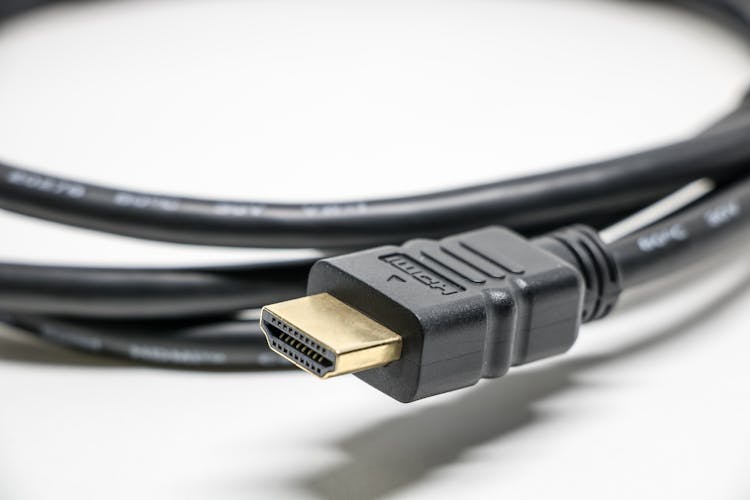
Quick Comparison: HDMI vs DisplayPort vs VGA vs DVI
| Cable | Signal | Max Resolution | Audio | Price (USD) | Price (PKR approx.) |
|---|---|---|---|---|---|
| HDMI 2.1 | Digital | 8K @ 60Hz / 4K @ 240Hz | Yes (eARC) | ~$10 (approx.) | ~Rs 2,800 |
| HDMI 2.0 | Digital | 4K @ 60Hz | Yes | ~$6 (approx.) | ~Rs 1,700 |
| DisplayPort 1.4 | Digital | 8K @ 60Hz / 4K @ 144Hz | Yes | ~$9 (approx.) | ~Rs 2,500 |
| DVI-D | Digital | 2560 x 1600 @ 60Hz | No | ~$7 (approx.) | ~Rs 1,900 |
| VGA | Analog | 1920 x 1080 (recommended max) | No | ~$5 (approx.) | ~Rs 1,400 |
USD prices checked on Amazon at drafting time (September 2026) for standard 6-foot (1.8m) cables. PKR prices are approximate, converted at ~Rs 277 per USD — local market prices vary. Braided/premium versions cost a few dollars more.
HDMI: The Default for Almost Everyone
HDMI is on nearly every TV, monitor, console, and laptop sold today. HDMI 2.0 handles 4K at 60Hz — enough for movies, office work, and casual gaming. HDMI 2.1 (48Gbps) is the modern standard: 4K at 120Hz+ for PS5/Xbox, VRR for tear-free gaming, and eARC for Dolby Atmos soundbars. If you are buying one cable in 2026, a certified HDMI 2.1 cable (~$10, ~Rs 2,800 approx.) is the safest pick — it is backwards compatible with all older HDMI ports.
DisplayPort: The Gamer's and Professional's Choice
DisplayPort 1.4 is the standard for PC gaming monitors: it supports 4K at 144Hz and high-refresh 1440p where HDMI 2.0 would cap you at 60Hz. If your monitor advertises 144Hz, 165Hz, or 240Hz and your graphics card has a DisplayPort output, use DisplayPort — the monitor's headline refresh rate often only works over it. A VESA-certified DP 1.4 cable costs about $9 (~Rs 2,500 approx.). For connecting a PC to an HDMI-only display, a one-way DisplayPort-to-HDMI cable (~$10, ~Rs 2,800 approx.) works — just remember it only goes one direction (PC to monitor), never backwards.
DVI and VGA: Legacy Cables Worth Replacing
DVI is a digital connection from the mid-2000s — usable up to 2560 x 1600, but it carries no audio and tops out below modern refresh rates. VGA is even older: an analog signal that degrades picture quality and should never be used if a digital option exists. If your old PC only has VGA or DVI and your monitor has HDMI, a simple passive adapter cable (VGA-to-HDMI ~$12, DVI-to-HDMI ~$9, approx.) solves it — for VGA you will also need a separate audio cable since it carries no sound.
Which Cable Should You Use? Simple Rules
- Gaming on PC (144Hz+ monitor): DisplayPort 1.4 — it unlocks the full refresh rate your monitor advertises.
- PS5, Xbox, or TV/streaming box: HDMI 2.1 — carries 4K 120Hz gaming plus eARC audio.
- Office work, study, basic 1080p/4K 60Hz: Plain HDMI 2.0 — cheap (~$6) and perfectly fine.
- Old PC to modern monitor: DVI-to-HDMI or VGA-to-HDMI adapter cable — upgrade to digital, not analog.
- Long runs (5m+): Buy an active/optical HDMI cable; cheap passive cables can flicker past 5 meters at 4K.
- Do not overspend: A $9 certified cable performs identically to a $40 "premium" one at the same spec. Braiding is nicer to touch, not faster.
Buying Cables in Pakistan: Local Tips
- Where to buy: Hall Road Lahore and Techno City / Star City Mall Karachi have every cable type in stock; simple HDMI and VGA cables are sold at almost every computer shop in the country.
- Test before you pay: Ask the shop to test the cable with a 4K source if possible — ultra-cheap unbranded HDMI 2.1 cables sometimes fail the full 48Gbps and fall back to lower resolutions.
- Fair prices: Basic 1.5m HDMI cables sell for Rs 500-1,000 locally; certified HDMI 2.1 and DisplayPort 1.4 cables cost Rs 2,500-4,000 at reputable shops. Compare with Daraz listings first so you know the fair price.
- Watch out for fakes: Many Rs 300 "HDMI 2.1" cables are relabeled HDMI 1.4. For gaming or 4K, buy a branded cable (UGREEN, Baseus, Amazon Basics) with the spec printed on the cable jacket.
- Complete the setup: A proper keyboard and a clean desk make the cable upgrade actually feel like a new setup.
Frequently Asked Questions
Is DisplayPort better than HDMI for gaming?
For PC gaming at high refresh rates (144Hz+), yes — DisplayPort 1.4 supports 4K at 144Hz where HDMI 2.0 caps at 4K 60Hz. But HDMI 2.1 matches or beats DisplayPort for consoles and TVs. Match the cable to your device: DisplayPort for gaming PCs, HDMI 2.1 for PS5/Xbox.
Can I use a VGA cable with a modern monitor?
You can with an adapter, but you should not. VGA is analog — the picture is softer and washed out compared to digital HDMI or DisplayPort. If your PC only has VGA, a VGA-to-HDMI adapter (~$12 / ~Rs 3,300 approx.) is a cheap fix until you upgrade.
Do expensive HDMI cables work better than cheap ones?
No. At the same certified spec, a $9 cable performs identically to a $40 one — digital signals either arrive or they do not. What matters is the certification (Ultra High Speed for HDMI 2.1) and correct length, not the brand premium.
Does DVI carry audio like HDMI?
No — DVI is video only. If you connect via DVI, you need a separate cable for audio (3.5mm or speakers). HDMI and DisplayPort both carry audio and video on one cable.
Which cable do I need for a 4K monitor at 144Hz?
Use DisplayPort 1.4 (or HDMI 2.1 if your monitor and GPU both support it). HDMI 2.0 cannot do 4K 144Hz — it tops out at 4K 60Hz. Check that the cable spec, the monitor port, and the GPU port all support the speed you want.
Final Verdict
In 2026, the answer is simple: use DisplayPort 1.4 (~$9 / ~Rs 2,500 approx.) for high-refresh PC gaming monitors, HDMI 2.1 (~$10 / ~Rs 2,800 approx.) for consoles, TVs, and general 4K use, and retire VGA and DVI to the spare-parts drawer. Do not pay a premium for fancy branding — buy a certified cable at the right spec, test it at the shop in Pakistan, and spend the savings on something that actually matters, like a better monitor or a proper keyboard.
Post a Comment