
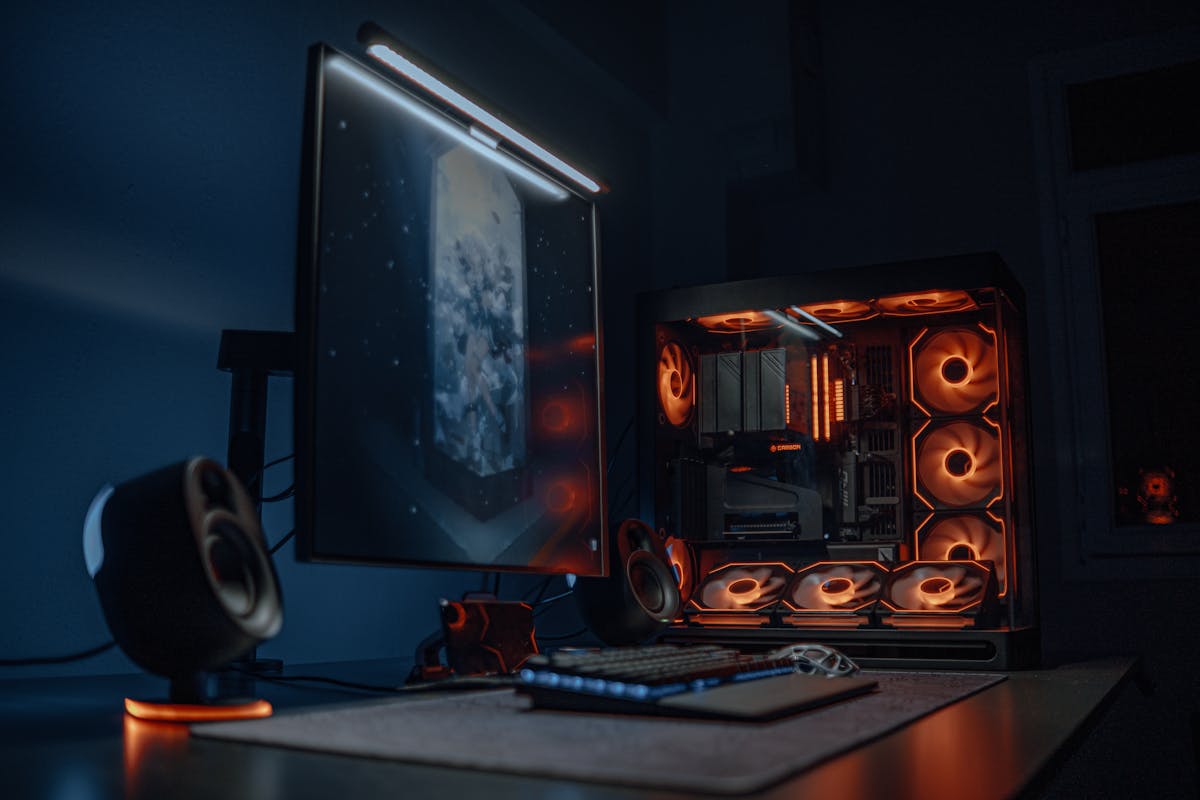
Your RTX-class graphics card can be the fastest on the market, and it will still throttle itself into mediocrity if it is suffocating inside a sealed metal box. The PC case is the most underrated performance component in any build — and in Pakistan's hot summers, it matters even more. This guide breaks down exactly what makes an airflow case great, compares the 6 best airflow gaming PC cases you can buy in 2026, and gives you real prices in both PKR and USD.
In This Guide
- Why Airflow Is a Performance Feature, Not a Luxury
- 7 Things to Check Before Buying an Airflow Case
- The 6 Best Airflow Gaming PC Cases to Buy in 2026 (PKR + USD Prices)
- Mesh vs Tempered Glass Front: Which Should You Pick?
- Fan Setup Guide: How Many Fans Do You Actually Need?
- Buying an Airflow Case in Pakistan: Hall Road, Techno City & Dealer Tips
- Frequently Asked Questions
- Final Verdict
Why Airflow Is a Performance Feature, Not a Luxury
Modern GPUs and CPUs are designed to boost their clock speeds as high as temperature allows. That means cooling is directly tied to performance — a graphics card running at 65°C will hold higher boost clocks than the same card gasping at 82°C. Independent thermal testing consistently shows that a mesh-front airflow case runs 5–10°C cooler on the GPU than a restrictive solid-front alternative. Here is what that buys you:
- Higher sustained FPS: cooler components boost longer and throttle less in long gaming sessions.
- Quieter builds: fans do not need to scream at 100% when cool air is actually reaching them.
- Longer component life: heat is the slow killer of capacitors, VRMs, and SSDs — a cool case is a long-lived PC.
- Headroom for summer: in Pakistan, where room temperatures hit 40°C+, a case with 10°C of thermal headroom is the difference between stable and crashing.
If you are pairing a new case with a full build, see our Best Gaming PCs Under $1000 in 2026 guide — and remember that even the best CPU cooler cannot save a build that has nowhere to exhale hot air.
7 Things to Check Before Buying an Airflow Case
Not every case with a mesh panel is actually good at airflow. Run through this checklist before you buy:
- 1. Mesh (not glass) front panel: the single biggest airflow factor. Perforated metal or fine mesh lets cool air in; solid glass fronts force air through tiny side vents and choke intake.
- 2. Included fans: count them AND their size. Three 120mm fans beat one. Cases that ship with 3–5 fans save you Rs 8,000–15,000 in extra fan purchases.
- 3. GPU clearance: measure your graphics card's length and compare with the case's max GPU length spec. Modern cards run 300–340mm; the cases below all clear 380mm+.
- 4. Radiator support: if you ever want liquid cooling, check that the front or top fits a 240mm/360mm radiator. All six picks below support at least a 360mm radiator.
- 5. Dust filtration: mesh breathes in dust too. Look for removable dust filters on the front, top, and PSU intake — critical in dusty Pakistani cities.
- 6. Cable management space: at least 20mm behind the motherboard tray plus routing channels. Clean cables = unobstructed airflow.
- 7. Build quality: steel thickness, panel fit, and tempered glass (not acrylic) side panels. A rattling cheap case will annoy you for years.
The 6 Best Airflow Gaming PC Cases to Buy in 2026 (PKR + USD Prices)
Prices below are approximate October 2026 market ranges — USD figures track major online retailers, PKR figures track Pakistani computer markets (Hall Road Lahore / Techno City Karachi). Always confirm the live price with your seller before buying, as imported cases move with the dollar rate.
| Case | Included Fans | Max GPU Length | Approx. USD | Approx. PKR |
|---|---|---|---|---|
| Montech AIR 903 MAX | 4 | 400 mm | ~$80 | Rs 28,000–34,000 |
| Lian Li Lancool 216 | 3 | 392 mm | ~$99–130 | Rs 34,000–46,000 |
| Lian Li Lancool 217 | 5 | 380 mm | ~$120 | Rs 42,000–48,000 |
| Corsair FRAME 4000D RS ARGB | 3 (ARGB) | 405 mm | ~$125 | Rs 44,000–50,000 |
| NZXT H7 Flow | 3 | 410 mm | ~$130 | Rs 46,000–54,000 |
| Fractal Design North XL Mesh | 3 (140 mm) | 425 mm | ~$180 | Rs 62,000–70,000 |
1. Montech AIR 903 MAX (~$80) — Best Budget Airflow Case
The undisputed value king of 2026. A full mesh front, four included fans, 400mm GPU clearance, and 360mm radiator support — specs that used to cost twice the price. If your budget is tight, stop here: nothing else under $100 cools this well. Best for: budget gaming builds, first-time builders.
Approx. price: ~$80 (US) | Rs 28,000–34,000 (Pakistan).
2. Lian Li Lancool 216 (~$99–130) — Best Thermals Per Rupee
Independent testing shows the Lancool 216 running 2–4°C cooler than rivals at the same price, thanks to its dual-chamber airflow path and excellent stock fan curve. Superb cable management and build quality round it out. Best for: builders who want maximum cooling without the premium price.
Approx. price: ~$99–130 (US) | Rs 34,000–46,000 (Pakistan).
3. Lian Li Lancool 217 (~$120) — Best Overall
The 217 takes everything great about the 216 and adds five included fans out of the box, so you never buy an extra fan. 380mm GPU clearance, 360mm radiator support, and refined 2026 styling make it the case I recommend to most people. Best for: the "buy once, buy right" mid-range build.
Approx. price: ~$120 (US) | Rs 42,000–48,000 (Pakistan).
4. Corsair FRAME 4000D RS ARGB (~$125) — Best Modular Design
Corsair's FRAME system is genuinely innovative: an infiniRail fan mounting system lets you slide fans anywhere along the rails, and it supports reverse-connector motherboards (ASUS BTF, MSI Project Zero) for cable-free builds. Three ARGB fans included, 405mm GPU clearance. Best for: builders who tinker and upgrade often.
Approx. price: ~$125 (US) | Rs 44,000–50,000 (Pakistan).
5. NZXT H7 Flow (~$130) — Best for Liquid Cooling
A perforated-metal front that balances airflow with a cleaner look than raw mesh, room for a 420mm radiator (the largest here), and NZXT's famously easy cable management. Slightly pricier than the Lancool picks for similar thermals, but the build experience is superb. Best for: AIO liquid cooling builds and clean aesthetics.
Approx. price: ~$130 (US) | Rs 46,000–54,000 (Pakistan).
6. Fractal Design North XL Mesh (~$180) — Premium Pick
The big one: massive interior volume, 425mm GPU clearance for the largest graphics cards, three 140mm fans, and Fractal's gorgeous wood-accented design in the mesh version. You are paying for sheer space and premium materials as much as cooling. Best for: flagship builds, E-ATX boards, and showpiece setups.
Approx. price: ~$180 (US) | Rs 62,000–70,000 (Pakistan).
Mesh vs Tempered Glass Front: Which Should You Pick?
This is the most common case-buying question, and the answer is simple:
- Mesh front = maximum cooling. Air flows straight through to your components. Expect 5–10°C lower GPU temps. The tradeoff: more dust intake (clean your filters monthly) and a less "premium" look.
- Tempered glass front = maximum looks. Shows off RGB beautifully but forces intake air through narrow side vents. Fine for office PCs or low-power builds, but a gaming GPU will run hotter and louder.
- Hybrid (perforated metal, like the NZXT H7 Flow) = the middle ground. Better airflow than glass, cleaner looks than raw mesh.
The rule: if your PC has a dedicated graphics card, buy mesh. Looks are free; thermal throttling is not. If you are on a tight budget and wondering whether a cheaper case works, our Best Budget Gaming PC Cases Under $100 guide covers the affordable end in detail.
Fan Setup Guide: How Many Fans Do You Actually Need?
More fans is not always better — balanced airflow is. The classic layout that works in almost every mid-tower:
- Front: 2–3 intake fans pulling cool air in over the GPU.
- Rear: 1 exhaust fan pushing hot air out.
- Top: 1–2 exhaust fans (or your AIO radiator mounted here as exhaust).
That is 4–6 fans total — which is exactly why cases like the Lancool 217 (5 included) and AIR 903 MAX (4 included) are such good value: you may never buy a separate fan. Aim for slightly positive pressure (a touch more intake than exhaust) so dust enters through your filtered intakes rather than every unfiltered crack. And set a sane fan curve in your BIOS — silent at idle, ramping under load — instead of running everything at 100%.
Buying an Airflow Case in Pakistan: Hall Road, Techno City & Dealer Tips
Airflow cases are widely available in Pakistan, but a few local realities change the buying math:
- Where to buy: Hall Road, Lahore has the widest selection of Lian Li, Corsair, and Montech cases with the sharpest bargaining; Techno City, Karachi is the southern equivalent. Both stock genuine sealed boxes — insist on seeing the seal.
- Dust is the real enemy: Pakistani cities are dusty, and mesh cases inhale it. Prioritize cases with removable front dust filters and budget 5 minutes a month to rinse them. A Rs 2,000 blower/compressed-air can is a wise companion purchase.
- Check GPU clearance in person: bring your graphics card's exact length (or model name) and have the dealer confirm it against the case spec sheet. Returns on opened cases are painful.
- Beware the "gaming case" trap: many cheap local "gaming" cases have glass fronts, one rear fan, and terrible thermals. If it does not have a mesh front and at least 3 fan mounts, it is not an airflow case no matter what the box says.
- PSU shrouds and cable routing: budget cases sometimes skip the PSU shroud — cables then block front intake airflow. Prefer cases with a full shroud and 20mm+ of rear cable space.
- Warranty: branded cases (Corsair, Lian Li, Fractal, NZXT) carry proper distributor warranties in Pakistan. Get it stamped on the invoice.
Frequently Asked Questions
Is a mesh front really better than glass for gaming?
Yes. Independent thermal testing consistently shows mesh-front cases running the GPU 5–10°C cooler than solid glass-front designs, because cool air flows directly to the components instead of squeezing through side vents. For any PC with a dedicated graphics card, mesh is the right choice.
How many fans does a gaming PC case need?
Four to six fans in a balanced layout: 2–3 front intake, 1 rear exhaust, 1–2 top exhaust. Cases like the Lian Li Lancool 217 (5 fans included) and Montech AIR 903 MAX (4 included) cover this out of the box, so you may never need to buy extra fans.
Does a bigger case cool better than a compact one?
Not automatically. Airflow design matters more than volume — a well-designed mid-tower with a mesh front beats a cavernous case with choked intakes. Bigger cases help mainly with fitting large GPUs, thick radiators, and keeping cables out of the airstream.
Will these airflow cases fit an RTX 4070-class graphics card?
Yes. Modern performance GPUs run roughly 300–340mm long, and every case in this guide clears 380mm or more (up to 425mm on the Fractal North XL). Always double-check your exact card's length against the case spec before buying.
Are expensive airflow cases worth it in Pakistan's heat and dust?
The jump from a Rs 12,000 no-name case to a Rs 30,000+ airflow case is absolutely worth it — you get real mesh, included fans, dust filters, and proper GPU clearance. Beyond ~Rs 50,000 you are paying for premium materials, modularity, and looks rather than big thermal gains. And whatever you buy, clean the dust filters monthly.
Final Verdict
For most builders, the Lian Li Lancool 217 (~$120 / approx. Rs 42,000–48,000) is the airflow case to buy in 2026 — five included fans, excellent thermals, and zero extra purchases needed. On a tight budget, the Montech AIR 903 MAX (~$80 / approx. Rs 28,000–34,000) cools nearly as well for much less. Tinkerers should look at the Corsair FRAME 4000D RS ARGB for its modular rail system, and flagship builders at the Fractal Design North XL Mesh. Whatever you choose, buy mesh, check your GPU clearance, and clean those dust filters — your components will run cooler, quieter, and longer for it.
Post a Comment