
The best gaming router for low ping in 2026 is the ASUS ROG Rapture GT-AX6000 — dual 2.5G ports, powerful adaptive QoS, and rock-solid firmware at a fair price. Competitive players should pick the Netgear Nighthawk XR1000 for its DumaOS geo-filter, while the TP-Link Archer GX90 is the best-value Wi-Fi 6 pick for most gamers in Pakistan. Scroll down for the full comparison with PKR + USD prices.
Table of Contents
- Why a Gaming Router Actually Lowers Your Ping
- What to Look For Before Buying
- Top 5 Gaming Routers for Low Ping in 2026
- Side-by-Side Comparison
- Gaming Router Prices in Pakistan: PKR + USD
- Where to Buy Gaming Routers in Pakistan (Local Tips)
- Low Ping Setup Tips for Pakistani Gamers
- FAQs
- Final Verdict

Why a Gaming Router Actually Lowers Your Ping
Your ping is mostly decided by your ISP and the distance to the game server — no router can fix a bad connection. But a gaming router can remove the delays your own network adds: smarter traffic prioritization (QoS) so your game packets jump the queue ahead of Netflix and downloads, faster processors that handle dozens of connected devices without choking, and features like geo-filtering that keep you on the nearest servers. On a typical Pakistani home connection, switching from a basic ISP-provided router to a proper gaming router can shave 10–30 ms off your in-game ping and, more importantly, kill the random lag spikes that cost you fights.
What to Look For Before Buying
- QoS / traffic prioritization: The single most important gaming feature. Look for adaptive or game-aware QoS that auto-detects gaming traffic.
- 2.5G (or faster) ports: At least one multi-gig WAN/LAN port so your router never bottlenecks a fast fiber plan.
- Wi-Fi 6 minimum: Wi-Fi 6 (802.11ax) handles crowded device households far better than old Wi-Fi 5 routers. Wi-Fi 7 is a bonus for future-proofing.
- Strong CPU & RAM: A quad-core processor and 512 MB+ RAM keep latency stable when 20+ devices are connected.
- Good firmware: Regular security updates and a clean app (ASUS Router app, Nighthawk app) matter more than flashy antennas.
- DumaOS (Netgear): Geo-filter and ping heatmap are genuinely useful for competitive FPS players.
Top 5 Gaming Routers for Low Ping in 2026
1. ASUS ROG Rapture GT-AX6000 — Best Overall Gaming Router
The GT-AX6000 remains the sweet spot in 2026: Wi-Fi 6 dual-band (AX6000), two 2.5G ports, a 2.0 GHz quad-core CPU, and ASUS's excellent adaptive QoS with a dedicated gaming port. Triple-level game acceleration (device, game server, game packets) genuinely prioritizes your traffic, and the ROG UI makes port forwarding painless. Approx. price: ~$260 USD / ~₨78,000–88,000 PKR (USD price verified via live shopping results at drafting time; PKR is an approximate Pakistan-market estimate).
2. Netgear Nighthawk XR1000 — Best for Competitive Play
Powered by DumaOS 3.0, the XR1000 is built for ranked grinders: the geo-filter lets you block far-away servers, the ping heatmap shows real-time connection quality, and the dashboard exposes bufferbloat controls most routers hide. Wi-Fi 6 (AX5400) with four high-performance antennas. Approx. price: ~$350 USD / ~₨105,000–115,000 PKR (USD price verified via live search results; PKR approximate). If you're building the rig to match, see our Best Gaming PCs Under $1000 in 2026 guide.
3. TP-Link Archer GX90 — Best Value Wi-Fi 6 Gaming Router
A tri-band AX6600 router with a dedicated gaming band, game accelerator, and a 2.5 Gbps port — at a price that undercuts the big names. The OneMesh support is handy if you later expand coverage. Firmware updates are slower than ASUS, but the hardware value is hard to beat. Approx. price: ~$240 USD / ~₨70,000–78,000 PKR (USD price verified via live search results; PKR approximate).
4. ASUS RT-AX86U Pro — Best Budget-Friendly Pick
The long-running favorite for a reason: Wi-Fi 6 (AX5700), a 2.5G port, mobile game mode that prioritizes your phone's gaming traffic, and ASUS's consistently updated firmware. It lacks the ROG-specific game radar, but for the money it's the smartest entry into serious low-ping networking. Approx. price: ~$230 USD / ~₨68,000–75,000 PKR (USD price verified via live search results; PKR approximate). Pair it with a strong GPU — our NVIDIA vs AMD in 2026 mid-range GPU guide will help you choose.
5. ASUS ROG Rapture GT-BE98 — Best Wi-Fi 7 Future-Proof Pick
If you want the absolute cutting edge: quad-band Wi-Fi 7, 320 MHz channels, Multi-Link Operation, and 10G ports. Overkill for most Pakistani connections today, but it's the router you buy if you upgrade hardware every 5+ years and want zero regrets. Approx. price: ~$700 USD / ~₨210,000–230,000 PKR (both figures approximate — live prices could not be verified at drafting time).
Side-by-Side Comparison
| Router | Wi-Fi Standard | Key Gaming Feature | Fastest Ports | Approx. Price |
|---|---|---|---|---|
| ASUS ROG Rapture GT-AX6000 | Wi-Fi 6 (AX6000) | Triple-level game acceleration | 2 × 2.5G | ~$260 / ~₨78k–88k |
| Netgear Nighthawk XR1000 | Wi-Fi 6 (AX5400) | DumaOS geo-filter + ping heatmap | 1 × 1G WAN | ~$350 / ~₨105k–115k |
| TP-Link Archer GX90 | Wi-Fi 6 (AX6600) | Dedicated gaming band | 1 × 2.5G | ~$240 / ~₨70k–78k |
| ASUS RT-AX86U Pro | Wi-Fi 6 (AX5700) | Mobile game mode | 1 × 2.5G | ~$230 / ~₨68k–75k |
| ASUS ROG Rapture GT-BE98 | Wi-Fi 7 (BE24000) | Multi-Link Operation | 2 × 10G | ~$700 / ~₨210k–230k* |
*GT-BE98 figures are approximate — live prices could not be verified at drafting time. All PKR figures are approximate Pakistan-market estimates (≈ ₨280 per USD plus local import markup).

Gaming Router Prices in Pakistan: PKR + USD
Gaming routers carry a 10–25% premium in Pakistan over US street prices thanks to import duties and limited official distribution:
- Budget tier (~₨68,000 – ₨78,000 / ~$230–$280): ASUS RT-AX86U Pro, TP-Link Archer GX90.
- Mid tier (~₨78,000 – ₨115,000 / ~$280–$410): ASUS ROG Rapture GT-AX6000, Netgear Nighthawk XR1000.
- Flagship tier (~₨210,000+ / ~$750+): ASUS ROG Rapture GT-BE98 and other Wi-Fi 7 flagships.
Price verification note: USD prices for the GT-AX6000, XR1000, Archer GX90, and RT-AX86U Pro were verified against live shopping/search results at drafting time. The GT-BE98's USD price and all PKR figures are approximate Pakistan-market estimates (Hall Road / Techno City style pricing) — always confirm the final price with your seller before buying.
Where to Buy Gaming Routers in Pakistan (Local Tips)
- Hall Road, Lahore: The widest selection of imported routers in Pakistan — compare sealed-box prices across 3–4 shops before deciding. Grey imports arrive here first, so new models show up early.
- Techno City, Karachi: Good stock of ASUS and TP-Link models with shop warranty; ask specifically for PTA-compliant stock where relevant.
- Online: Daraz, Shophive, and Telemart list popular models — prefer official brand stores or highly rated sellers for warranty coverage.
- Local buying tips: Check the exact model variant on the box (some routers ship with region-locked firmware). Confirm the power adapter type (US vs UK plug). Get the warranty in writing — grey imports are cheaper but warranty claims can be a headache. And build your rig wisely around it: our Best Budget CPUs to Buy in 2026 guide keeps the rest of your setup affordable.
Low Ping Setup Tips for Pakistani Gamers
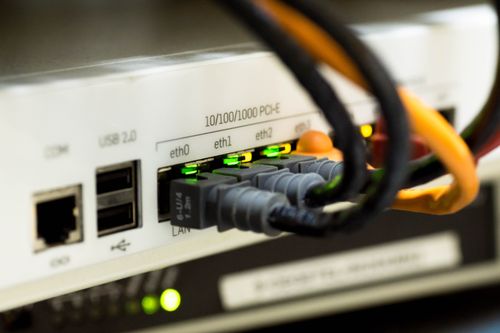
- Use Ethernet for your gaming PC or console. A wired connection beats even the best Wi-Fi for stable ping — this one change matters more than any router upgrade.
- Turn on QoS / game prioritization and set your gaming device as the highest-priority client.
- Pick the nearest servers: from Pakistan, Singapore and Middle East (Bahrain/Dubai) servers usually give the lowest ping; EU West is the next best fallback.
- Use the 5 GHz or 6 GHz band for gaming devices and keep the router in the open, centrally placed — not inside a cabinet.
- Update firmware on day one, and reboot the router weekly to clear memory leaks.
- Try faster DNS (Cloudflare 1.1.1.1 or Google 8.8.8.8) — it won't lower in-game ping much, but it speeds up matchmaking and logins.
FAQs
Will a gaming router fix high ping on a slow internet connection?
No. If your base connection is slow or unstable, a gaming router can't create bandwidth that isn't there. It helps by prioritizing gaming traffic and reducing lag spikes — but fix the connection first (upgrade your package or switch ISPs), then optimize with a gaming router.
Is Wi-Fi 7 worth it for gaming in 2026?
For most gamers, no — Wi-Fi 6 routers like the GT-AX6000 already deliver more speed and lower latency than typical Pakistani home connections can use. Buy Wi-Fi 7 (like the GT-BE98) only if you keep hardware for 5+ years or run a multi-gig fiber plan.
Is DumaOS on the Nighthawk XR1000 worth the premium?
For competitive FPS players, yes — the geo-filter and ping heatmap give you real control over which servers you connect to, which matters a lot from Pakistan where matchmaking can throw you onto distant servers. Casual players won't use these features enough to justify the price.
Can I use a gaming router with PTCL, Nayatel, or StormFiber?
Yes — connect the gaming router's WAN port to your ISP's ONT/modem and put the ISP device in bridge mode (or DMZ) to avoid double NAT. Nayatel and StormFiber support this easily; with PTCL you may need to ask support to enable bridge mode on the ONT.
Do gaming routers work with PS5, Xbox Series X, and Nintendo Switch?
Yes — all the routers in this guide work with consoles. Use a wired Ethernet connection for the lowest ping, enable QoS for the console's IP, and use the geo-filter (XR1000) to lock onto nearby servers for the best online experience.
Final Verdict
For most gamers in 2026, the ASUS ROG Rapture GT-AX6000 is the gaming router to buy — the right mix of 2.5G ports, strong QoS, and proven firmware at a sane price. Competitive FPS players who want every advantage should stretch to the Netgear Nighthawk XR1000 for DumaOS. Value hunters get 90% of the experience with the TP-Link Archer GX90 or the ASUS RT-AX86U Pro. And remember: no router beats a simple Ethernet cable — wire up your gaming rig first, then let the router do the rest.
The PENTIUM TECH HUB editorial team covers PC hardware, laptops, and accessories for the Pakistani market — with honest buying guides, real price checks in PKR and USD, and practical tips from local markets like Hall Road Lahore and Techno City Karachi.
Post a Comment