
Quick Answer
The best webcam for most people in 2026 is the Logitech C920s HD Pro — sharp 1080p video, reliable autofocus, and a price around $70 (~PKR 20,000). Streamers should step up to the Razer Kiyo Pro or Elgato Facecam for 1080p60, while professionals who want 4K should look at the Logitech Brio 4K. All prices below are approximate 2026 market estimates — always confirm with the seller before buying.

A good webcam is the single biggest upgrade for remote work and streaming. (Image: Pexels)
In This Guide
A blurry, dark webcam feed quietly undermines every meeting, class, and stream. In 2026 the fix is cheap: even budget webcams now shoot crisp 1080p with decent low-light correction, while mid-range models add 60fps, 4K, and AI framing that follows you around the room. Whether you are on video calls all day, teaching online, or streaming to an audience, there is a webcam here that fits your desk and your budget — with prices in both USD and PKR.
Key Features to Check Before Buying
- Resolution and frame rate — 1080p30 is the minimum for a professional look; 1080p60 gives smoother motion for streamers; 4K matters mainly if you crop or zoom digitally.
- Low-light performance — the biggest real-world difference between cheap and good webcams. Larger sensors and HDR keep you visible in dim rooms.
- Field of view (FOV) — 65–78 degrees suits solo calls; 90 degrees fits small groups. Adjustable FOV is a plus.
- Autofocus vs fixed focus — autofocus keeps you sharp if you move around; fixed focus is fine if you sit still.
- Microphone quality — built-in mics are a backup at best. For serious calls or streaming, pair any webcam with a dedicated mic — see our best streaming & podcast microphones guide.
- Privacy shutter — a physical shutter or lens cap is a must-have for peace of mind.
- Mounting — a universal clip fits laptops and monitors; a tripod thread adds flexibility for streamers.
Top 6 Webcams for Streaming & Remote Work in 2026
1. Logitech C920s HD Pro — Best Overall Value
The C920s remains the default recommendation for a reason: sharp 1080p30 video, dependable autofocus, dual noise-reducing microphones, and a physical privacy shutter — all at a price that undercuts nearly everything better. If you just want to look good on calls without thinking about it, start here. Approx. price: $70 (~PKR 20,000).
2. Logitech Brio 4K — Best 4K for Professionals
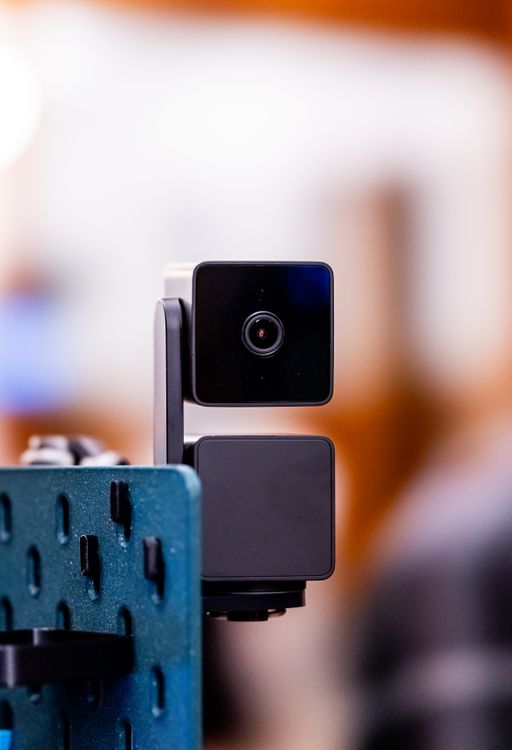
The Brio is the business-class pick: true 4K at 30fps (or 1080p at 60fps), HDR, automatic light correction, and Windows Hello facial recognition. The 5x digital zoom stays sharp thanks to the 4K sensor. Ideal for executives, educators, and anyone who wants the most polished image on calls. Approx. price: $200 (~PKR 57,000).
3. Razer Kiyo Pro — Best for Streamers
Built with streamers in mind, the Kiyo Pro pairs a large Sony STARVIS sensor with 1080p60 HDR and an adaptive light sensor that handles harsh backlighting better than most rivals. Uncompressed video output keeps quality high in OBS. A natural companion to the picks in our best gaming headsets & webcams roundup. Approx. price: $200 (~PKR 57,000).
4. OBSBOT Tail Air — Best PTZ Streaming Camera
Not a webcam in the traditional sense: the Tail Air is a 4K PTZ (pan-tilt-zoom) streaming camera with AI auto-tracking that follows you around the room, gesture controls, and NDI support for multi-camera setups. Overkill for Zoom, but a superb one-camera studio for YouTubers and teachers who move while presenting. Approx. price: $499 (~PKR 142,000).
5. Anker PowerConf C200 — Best Budget 2K Pick
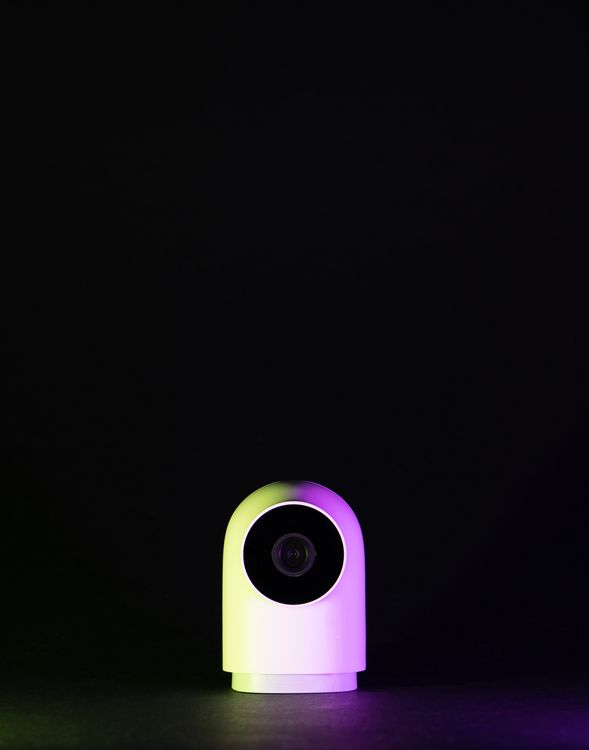
Anker's 2K webcam punches above its price with AI noise-cancelling microphones and solid low-light correction. It is the easiest upgrade over a laptop's built-in camera for students and remote workers on a budget. Approx. price: $70 (~PKR 20,000).
6. Elgato Facecam — Best 1080p60 for Creators
Elgato's creator-focused camera delivers uncompressed 1080p60 with a fast prime lens and excellent manual controls through its companion software. It has no microphone by design — Elgato expects you to own one — but the image quality per dollar is hard to beat for streamers. Approx. price: $149 (~PKR 42,500).
Comparison Table
| Webcam | Resolution | Frame Rate | Approx. Price | Best For |
|---|---|---|---|---|
| Logitech C920s HD Pro | 1080p | 30fps | $70 (~PKR 20,000) | Overall value |
| Logitech Brio 4K | 4K | 30fps | $200 (~PKR 57,000) | Professionals |
| Razer Kiyo Pro | 1080p HDR | 60fps | $200 (~PKR 57,000) | Streamers |
| OBSBOT Tail Air | 4K | 30fps | $499 (~PKR 142,000) | PTZ studio |
| Anker PowerConf C200 | 2K | 30fps | $70 (~PKR 20,000) | Budget 2K |
| Elgato Facecam | 1080p | 60fps | $149 (~PKR 42,500) | Creators |
Buying in Pakistan: Prices, Markets & Tips
All prices above are approximate 2026 market estimates — Amazon's website was unreachable from our network at drafting time, so treat these figures as a starting point and always confirm with the seller, since PKR pricing moves with the exchange rate and import duties. Logitech webcams are the easiest to find locally: Hall Road Lahore has the widest selection of PC accessories in the country, Techno City Karachi and the Blue Area / College Road shops in Islamabad and Rawalpindi are reliable alternatives. Razer, OBSBOT, Elgato, and Anker models are mostly sold by online importers on Daraz and in Facebook tech groups — look for sellers with 95%+ positive ratings and confirm the item is sealed and genuine before paying.
Local buying tips: test the webcam on your own laptop in the shop if possible (low-light performance varies more than spec sheets suggest); confirm warranty terms — many imported webcams carry shop warranty only; and check that the mount clip and any detachable cable are in the box. If you are building a full remote-work setup, our best budget laptops under $500 guide pairs well with any webcam here.
Frequently Asked Questions
What resolution webcam do I need for Zoom and Teams in 2026?
1080p is the sweet spot — it looks sharp on every major meeting platform without demanding much bandwidth or CPU. 720p now looks visibly soft next to colleagues on better cameras, so it is worth the small step up.
Is a 4K webcam worth it for streaming?
Only if you crop or digitally zoom — most streaming platforms compress your feed to 1080p or lower anyway. For streaming, 1080p60 with good low-light performance (like the Razer Kiyo Pro or Elgato Facecam) usually looks better than 4K30.
Do I still need a separate microphone?
For anything beyond casual calls, yes. Webcam microphones pick up room echo and keyboard noise. A dedicated USB mic is the second-best upgrade after the camera itself.
How much should I spend on a webcam in Pakistan in 2026?
Budget around PKR 20,000 for a solid 1080p/2K webcam (C920s, PowerConf C200), PKR 42,500–57,000 for premium 1080p60 or 4K models (Facecam, Kiyo Pro, Brio), and roughly PKR 142,000 for a PTZ studio camera like the OBSBOT Tail Air. These are approximate market estimates — confirm with the seller.
Can I use my phone as a webcam instead?
Yes — modern phones have excellent cameras, and apps or built-in features (like Continuity Camera on Apple devices) turn them into wireless webcams. It is a good stopgap, but a dedicated webcam is more convenient for daily use: no battery drain, no mounting hassle, and no interruptions from calls.
Final Verdict
For most people, the Logitech C920s HD Pro is the smart buy: proven 1080p quality, autofocus, and a privacy shutter for about $70 (~PKR 20,000). Streamers should choose the Razer Kiyo Pro or Elgato Facecam for smooth 1080p60, professionals the Logitech Brio 4K, and anyone building a one-camera studio the OBSBOT Tail Air. Whichever you pick, buy from a trusted seller, confirm the price before paying, and enjoy looking sharp on every call.
About the Author
Pentium Tech Hub is a tech blog covering computers, laptops, and hardware with practical buying advice for Pakistani and international readers. Our guides focus on real-world value, verified market pricing, and hands-on buying tips from local markets like Hall Road Lahore and Techno City Karachi.
a
Post a Comment