
Quick Answer
For a budget build under $150 in 2026, an AMD AM5 B650 board (roughly $110–$150 / Rs 30,500–41,600) is the best all-round pick for most buyers — you get DDR5, fast NVMe support and a solid upgrade path. Intel buyers should look at B760 for DDR4/DDR5 flexibility, while A620 (roughly $90–$110 / Rs 25,000–30,500) is the cheapest way onto the AM5 platform. Prices below are approximate 2026 market estimates — always confirm the latest price and official distributor warranty with your seller before buying.
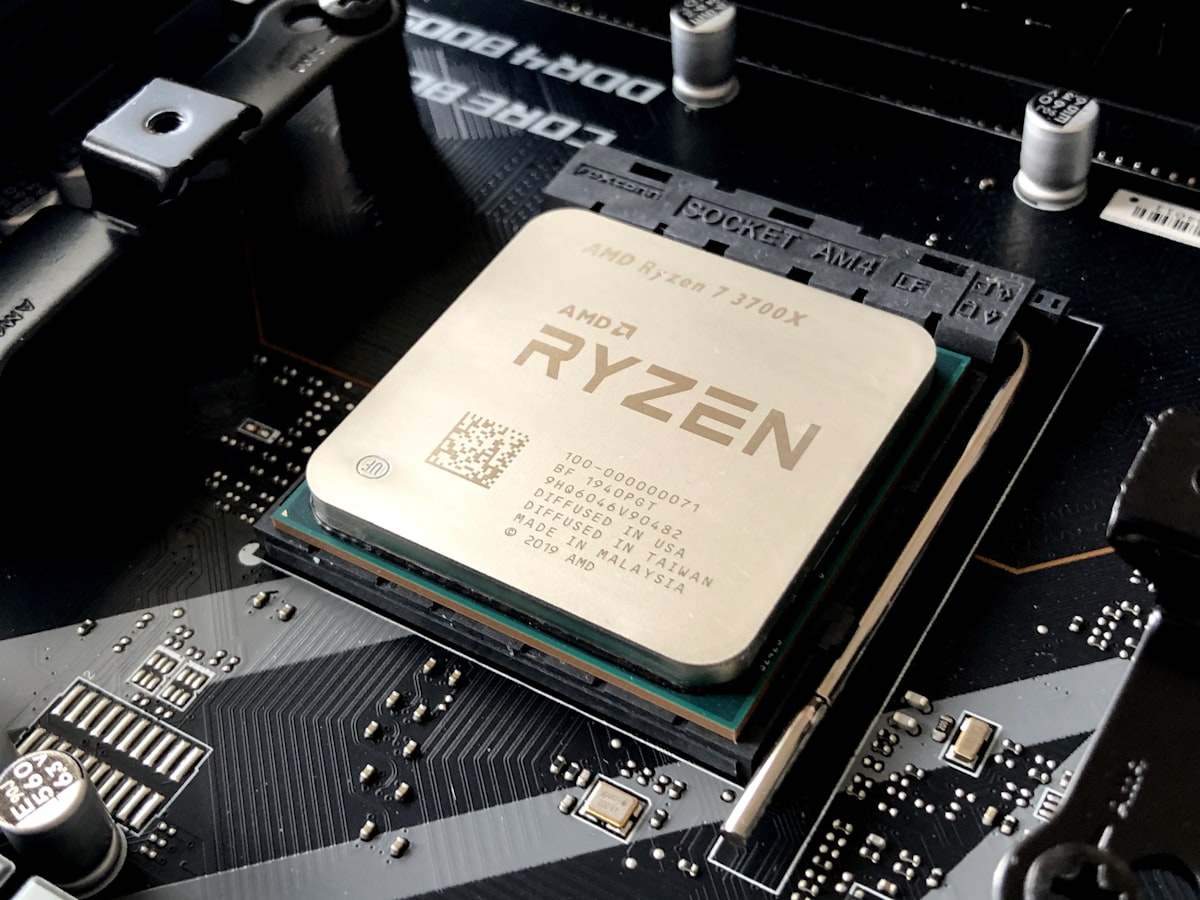
Your motherboard is the foundation of your entire PC — it decides which CPU you can use, how much RAM you can install, how many fast SSDs you can add, and whether your build has a real upgrade path. The good news in 2026 is that you no longer need to spend $200+ to get a great board. Sub-$150 motherboards on AMD’s B650 and A620 chipsets and Intel’s B760 chipset now deliver features that were premium-only a few years ago: DDR5 memory, multiple M.2 NVMe slots, 2.5G LAN and built-in WiFi.
This complete buying guide compares B650 vs B760 vs A620, recommends the best budget motherboards under $150 with both USD and PKR prices, and finishes with practical buying tips for the Pakistani market — including Hall Road Lahore and Techno City Karachi. If you are also picking the processor to go with your board, take a look at our guide to the best budget CPUs to buy in 2026 first so your CPU and motherboard choice match.
Table of Contents
- What to Look for in a Budget Motherboard
- Best B650 Motherboards (AMD AM5)
- Best B760 Motherboards (Intel LGA1700)
- Best A620 Motherboards (AMD AM5 Entry Level)
- Comparison Table: All Recommended Boards
- Buying a Motherboard in Pakistan: Local Market Tips
- Frequently Asked Questions
- Final Verdict
What to Look for in a Budget Motherboard
Before comparing models, here are the five things that actually matter on a sub-$150 board:
1. Chipset — The chipset decides your platform. AMD’s B650 is the sweet spot for AM5: full CPU support, DDR5 and PCIe 4.0/5.0. A620 is a cut-down AM5 chipset for the cheapest builds. Intel’s B760 covers 12th, 13th and 14th Gen LGA1700 CPUs and comes in both DDR4 and DDR5 versions.
2. VRM (power delivery) — A decent VRM with heatsinks keeps your CPU stable and cool, especially if you ever upgrade to a higher-core chip. All the boards recommended below have VRM designs that comfortably handle mainstream 65W–125W CPUs.
3. RAM support: DDR4 vs DDR5 — AM5 boards (B650, A620) are DDR5-only. B760 gives you a choice: DDR4 boards let you reuse older, cheaper RAM, while DDR5 boards cost more now but are more future-proof. For a new 2026 build, DDR5 is the smarter pick — our NVMe vs SATA SSD guide also explains how fast storage pairs with modern platforms. Check how many DIMM slots the board has (four is ideal) and the maximum supported speed.
4. M.2 slots — At least one PCIe 4.0 M.2 slot for a fast NVMe SSD is a must in 2026; two slots is a big plus so you can add storage later without replacing your first drive.
5. WiFi — Built-in WiFi (ideally WiFi 6) saves you from buying a separate adapter or running long Ethernet cables. Most of our picks below include it.
Best B650 Motherboards (AMD AM5) Under $150
B650 is the best-value AM5 chipset in 2026. You get DDR5, PCIe 4.0 (and PCIe 5.0 on some boards), strong VRMs and an upgrade path to future Ryzen CPUs — all without paying X670 prices.
1. ASRock B650M Pro RS WiFi — approx. $110 (~Rs 30,500)
The value king of this list. This Micro-ATX board packs WiFi, multiple M.2 slots and a solid VRM for roughly $110 (~Rs 30,500), making it our top pick for budget AM5 gaming builds. If you want the cheapest sensible entry into Ryzen 7000/8000/9000-series territory with official local warranty, start here.
2. MSI PRO B650M-A WiFi — approx. $140 (~Rs 38,900)
A step up in build quality and BIOS polish. MSI’s PRO series is a favourite of system builders for its reliability, and the B650M-A WiFi adds strong power delivery, 2.5G LAN and WiFi 6. At roughly $140 (~Rs 38,900) it is the best “buy it once” budget B650 board for users who may later drop in a higher-end Ryzen chip.
3. ASUS TUF Gaming B650E-Plus WiFi — approx. $133 (~Rs 36,900)
The “E” in B650E means PCIe 5.0 support for both the GPU slot and an M.2 slot — rare at this price. ASUS’s TUF line is famous for durability and military-grade components, and at roughly $133 (~Rs 36,900) this board is a steal for gamers who want next-gen GPU and SSD readiness under $150.
4. ASRock B650 PG Lightning — approx. $150 (~Rs 41,600)
Sitting right at the top of our budget, the full-ATX PG Lightning gives you more expansion slots and M.2 connectors than the Micro-ATX boards above. At roughly $150 (~Rs 41,600) it suits builders who want maximum expandability without crossing into premium pricing.
Best B760 Motherboards (Intel LGA1700) Under $150
Intel’s B760 platform supports 12th, 13th and 14th Gen Core CPUs, and its biggest trick is choice: you can pick DDR4 boards to reuse affordable older RAM, or DDR5 boards for a more future-proof build. Perfect if you are upgrading an existing Intel system piece by piece — and if you are considering a full pre-built instead, see our roundup of the best tower PCs to buy in 2026.
1. MSI PRO B760M-A WiFi — approx. $130–$150 (~Rs 36,000–41,600)
The Intel counterpart to our favourite MSI AMD board. Available in both DDR4 and DDR5 versions, the PRO B760M-A WiFi offers a strong VRM, 2.5G LAN and WiFi 6 in a Micro-ATX layout. It is the safest B760 pick for 12th–14th Gen builds, priced roughly $130–$150 (~Rs 36,000–41,600) depending on the memory version and market.
2. Budget DDR4 B760M Options — approx. $110–$125 (~Rs 30,500–34,700)
If you already own DDR4 RAM, a budget DDR4-based B760M board from a major brand (MSI, ASUS, Gigabyte or ASRock) is the cheapest path to a modern Intel build — roughly $110–$125 (~Rs 30,500–34,700). You give up DDR5, but you save on both the board and the memory, which can fund a better CPU or GPU. Stick to well-known brands with official distributor warranty in Pakistan.
Best A620 Motherboards (AMD AM5 Entry Level)
A620 is the entry-level AM5 chipset: fewer USB ports, no CPU overclocking and more basic VRMs than B650 — but full support for Ryzen 7000/8000/9000 CPUs and DDR5. If your budget is absolutely tight and you will run a 65W Ryzen 5 with a mid-range GPU, A620 gets you onto the modern AM5 platform for the least money.
MSI PRO A620M-E Class Boards — approx. $90–$110 (~Rs 25,000–30,500)
MSI’s PRO A620M-E and similar entry A620M boards from major brands are the cheapest legitimate AM5 options at roughly $90–$110 (~Rs 25,000–30,500). They are ideal for office PCs, light gaming builds and HTPCs. Just know the limits: weaker VRMs mean these boards are not meant for high-end Ryzen 9 chips, and expansion is basic. If you can stretch to ~$110, the ASRock B650M Pro RS WiFi above is a meaningful upgrade.
Comparison Table: All Recommended Boards
| Model | Chipset | Form Factor | RAM Type | WiFi | Approx. Price (USD / PKR) |
|---|---|---|---|---|---|
| ASRock B650M Pro RS WiFi | B650 | Micro-ATX | DDR5 | Yes | ~$110 / ~Rs 30,500 |
| MSI PRO B650M-A WiFi | B650 | Micro-ATX | DDR5 | Yes | ~$140 / ~Rs 38,900 |
| ASUS TUF Gaming B650E-Plus WiFi | B650E | ATX | DDR5 | Yes | ~$133 / ~Rs 36,900 |
| ASRock B650 PG Lightning | B650 | ATX | DDR5 | No | ~$150 / ~Rs 41,600 |
| MSI PRO B760M-A WiFi | B760 | Micro-ATX | DDR4 / DDR5* | Yes | ~$130–$150 / ~Rs 36,000–41,600 |
| Budget DDR4 B760M (major brands) | B760 | Micro-ATX | DDR4 | Varies | ~$110–$125 / ~Rs 30,500–34,700 |
| MSI PRO A620M-E class | A620 | Micro-ATX | DDR5 | Varies | ~$90–$110 / ~Rs 25,000–30,500 |
*MSI PRO B760M-A WiFi is sold in separate DDR4 and DDR5 versions — the two memory types are not interchangeable on the same board, so buy the version that matches your RAM. All prices are approximate 2026 market estimates converted at ~Rs 277 per USD. Confirm the latest price and warranty terms with your seller before buying.
Buying a Motherboard in Pakistan: Local Market Tips
Street prices in Pakistan move with the dollar rate and stock availability, so treat the PKR figures above as estimates and always confirm before paying. Whether you shop at Hall Road in Lahore or Techno City in Karachi (or order online), follow these rules:
- Insist on official distributor warranty — Buy only sealed, boxed boards from major brands (ASUS, MSI, Gigabyte, ASRock) that carry an official Pakistani distributor’s warranty sticker. Distributor warranty is the difference between a quick local RMA and an expensive paperweight.
- Avoid tray / no-box boards — Bare “tray” or loose boards without retail packaging are often refurbished, warranty-less or grey imports. If the price looks too good to be true and there is no sealed box, walk away.
- Check the seal and serial number — Open the box in the shop, verify the serial number on the board matches the box, and get a proper printed receipt with the warranty terms written on it.
- Compare 2–3 shops — Prices for the same board can differ by thousands of rupees between neighbouring shops on Hall Road or in Techno City. A 10-minute walk-and-compare routinely saves money.
- Do not pay full advance to unknown online sellers — Use cash on delivery or trusted, well-reviewed stores when buying online, and confirm the distributor warranty in writing before ordering.
Frequently Asked Questions
Is B650 better than B760?
They are for different platforms, so “better” depends on your CPU. B650 is for AMD AM5 (Ryzen 7000/8000/9000) and is DDR5-only with a longer upgrade path. B760 is for Intel LGA1700 (12th–14th Gen) and offers DDR4 or DDR5 versions. Pick the chipset that matches the CPU you want — both are excellent budget choices in 2026.
Should I buy a DDR4 or DDR5 motherboard in 2026?
For a brand-new build, DDR5 — it is now reasonably priced and every current platform (AM5, and Intel’s latest) is built around it. DDR4 only makes sense if you already own DDR4 RAM and choose a DDR4 B760 board to reuse it and save money.
Is an A620 motherboard good enough for gaming?
Yes, for mainstream gaming. An A620 board paired with a Ryzen 5 and a mid-range GPU handles 1080p gaming comfortably. Its limits — weaker VRMs, no CPU overclocking, fewer ports — only matter if you plan to run a high-end CPU or many expansion cards, in which case step up to B650.
Do budget motherboards under $150 come with WiFi?
Most of our picks do — the ASRock B650M Pro RS WiFi, MSI PRO B650M-A WiFi, ASUS TUF Gaming B650E-Plus WiFi and MSI PRO B760M-A WiFi all include built-in WiFi, usually WiFi 6. Always check the exact model name: “WiFi” in the name means wireless is included, while non-WiFi variants are usually a few dollars cheaper.
Can I use an older Ryzen 5000 CPU on a B650 motherboard?
No. B650 uses the AM5 socket, which only supports Ryzen 7000-series and newer CPUs with DDR5 memory. Ryzen 5000 chips need an AM4 board (B550 or similar). If you already own a Ryzen 5000 CPU, buy an AM4 motherboard instead of anything in this guide.
What warranty should I insist on when buying a motherboard in Pakistan?
Always insist on an official Pakistani distributor warranty with a sealed retail box and a proper shop receipt. Avoid tray, loose or no-box boards — they typically have no local warranty, and a dead board without RMA support is money wasted.
Final Verdict
Under $150 in 2026, you cannot go wrong — but here is the short version:
- Best overall budget pick: ASRock B650M Pro RS WiFi (~$110 / ~Rs 30,500) — unbeatable value for an AM5 gaming build.
- Best for future upgrades: ASUS TUF Gaming B650E-Plus WiFi (~$133 / ~Rs 36,900) — PCIe 5.0 readiness at a budget price.
- Best Intel option: MSI PRO B760M-A WiFi (~$130–$150 / ~Rs 36,000–41,600) — pick the DDR4 or DDR5 version to suit your RAM.
- Tightest budget: MSI PRO A620M-E class (~$90–$110 / ~Rs 25,000–30,500) — the cheapest legitimate way onto AM5.
Whichever board you choose, buy a sealed box from a major brand with official distributor warranty, confirm the price on the day (the PKR figures above are 2026 estimates at ~Rs 277/USD), and make sure the socket and RAM type match the CPU you plan to install. Do that, and your budget motherboard will serve you reliably for years.
About the Author
Nabeel Ahmed is the founder and editor of PENTIUM TECH HUB, where he covers PC hardware, buying guides and practical tech advice for builders in Pakistan. He has spent years testing budget components and tracking Hall Road and Techno City street prices, so the recommendations here reflect what is actually worth buying — not just what looks good on a spec sheet.
Post a Comment