
- Why DDR5 Is the Right Choice in 2026
- DDR5 vs DDR4: What Actually Changed?
- What to Check Before Buying DDR5 RAM
- Best DDR5 RAM Kits to Buy in 2026
- How Much RAM Do You Need: 16GB vs 32GB vs 64GB
- Installing DDR5 & Enabling EXPO/XMP
- Pakistan Buying Guide: Prices, Hall Road & Techno City Tips
- Frequently Asked Questions
- Final Verdict
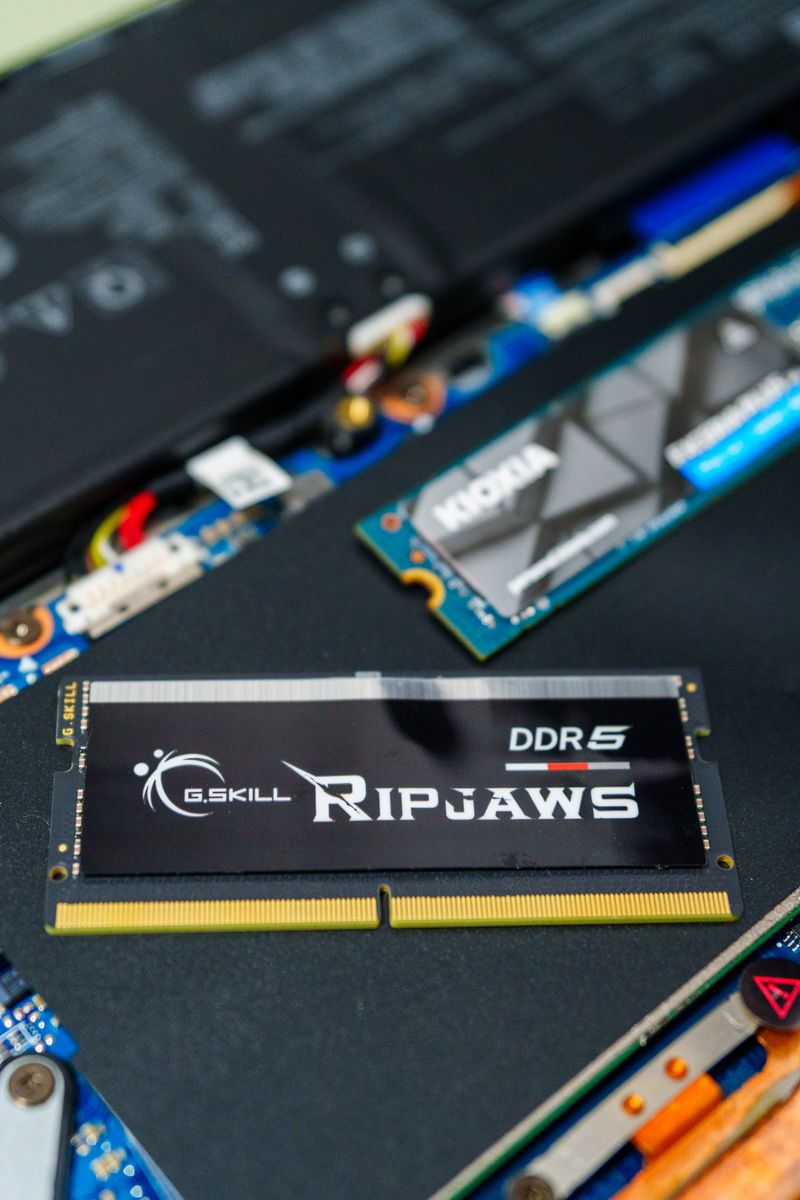
DDR5 memory is now the standard for new PC builds in 2026 — faster, denser, and more power-efficient than DDR4. (Image: Pexels)
Why DDR5 Is the Right Choice in 2026
If you are building or upgrading a PC in 2026, DDR5 is no longer a luxury — it is the baseline. Intel's 12th, 13th and 14th generation CPUs, Intel Core Ultra chips, and every AMD Ryzen 7000/8000/9000 series processor all support DDR5, and DDR5 prices have finally dropped to sane levels. A 32GB DDR5-6000 kit now costs roughly what a 16GB DDR4 kit cost a few years ago.
DDR5 brings real, measurable gains: much higher memory bandwidth, better power efficiency (1.1V vs 1.2V on DDR4), and much higher capacities per stick — single 32GB and even 48GB modules are mainstream now. For a refresher on how much RAM different workloads need, see our guide on how much RAM you really need for laptops and PCs.
DDR5 vs DDR4: What Actually Changed?
The differences go beyond raw speed numbers. Here is the practical comparison:
| Feature | DDR4 | DDR5 |
|---|---|---|
| Base speed | 2133–3200 MT/s | 4800–8400 MT/s |
| Typical latency | CL14–CL22 | CL28–CL40 |
| Voltage | 1.2V | 1.1V |
| Max per-stick capacity | 32GB (common) | 48GB–128GB |
| On-die ECC | No | Yes |
| Fits in DDR4 slot? | — | No — different notch position |
One warning that trips up many buyers: DDR5 is physically not compatible with DDR4 slots. The notch on the stick is in a different position, so it simply will not fit. Upgrading from DDR4 to DDR5 means a new motherboard (and often a new CPU). Check our motherboard buying guide to make sure your board supports DDR5 before ordering memory.
What to Check Before Buying DDR5 RAM
- Speed (MT/s): For gaming in 2026, DDR5-6000 is the sweet spot on AMD Ryzen (matches the memory controller's ideal ratio), while Intel platforms scale well up to DDR5-6400/6800. Below 5600 MT/s is only worth it if the price is much lower.
- Latency (CL): Lower is better at the same speed. DDR5-6000 CL30 beats DDR5-6400 CL40 in most real games. Do not buy on speed alone — always check the CL number.
- Capacity: 32GB (2x16GB) is the 2026 recommendation for gaming + multitasking. 16GB is the minimum; 64GB suits creators and heavy multitaskers.
- 2 sticks vs 4 sticks: Two sticks are easier to run at advertised speeds. Four sticks often force the motherboard to lower the speed for stability.
- EXPO / XMP profiles: DDR5 kits advertise speeds via AMD EXPO or Intel XMP profiles that you must enable in BIOS. Buy an EXPO kit for Ryzen, XMP for Intel — though most kits ship with both.
- Heatsink height: Tall RGB heatsinks can collide with big air coolers. If you use a large tower cooler, pick low-profile kits like G.Skill Ripjaws S5 or Corsair Vengeance (non-RGB).
Best DDR5 RAM Kits to Buy in 2026
These five kits cover every budget and use case. All prices are approximate 2026 market prices — Amazon blocks automated price checks, so confirm the live price with your seller before buying.
| Kit | Specs | Best For | Approx. USD | Approx. PKR |
|---|---|---|---|---|
| Corsair Vengeance 16GB (2x8GB) DDR5-5200 CL40 | 16GB, 5200 MT/s, CL40, low profile | Budget builds | ~$55 | ~PKR 15,500 |
| Kingston Fury Beast 32GB (2x16GB) DDR5-5600 CL40 | 32GB, 5600 MT/s, CL40, low profile | Value all-rounder | ~$95 | ~PKR 27,000 |
| G.Skill Ripjaws S5 32GB (2x16GB) DDR5-6000 CL30 | 32GB, 6000 MT/s, CL30, EXPO/XMP, low profile | Best overall / gaming | ~$115 | ~PKR 32,500 |
| TeamGroup T-Force Delta RGB 32GB (2x16GB) DDR5-6000 CL30 | 32GB, 6000 MT/s, CL30, RGB lighting | Showcase / RGB builds | ~$125 | ~PKR 35,000 |
| Corsair Vengeance RGB 64GB (2x32GB) DDR5-6000 CL30 | 64GB, 6000 MT/s, CL30 | Creators / workstations | ~$225 | ~PKR 63,500 |
PKR estimates use ~PKR 282/USD (2026 approximate rate) and local market markup. Prices move with the dollar — always re-check on the day of purchase.
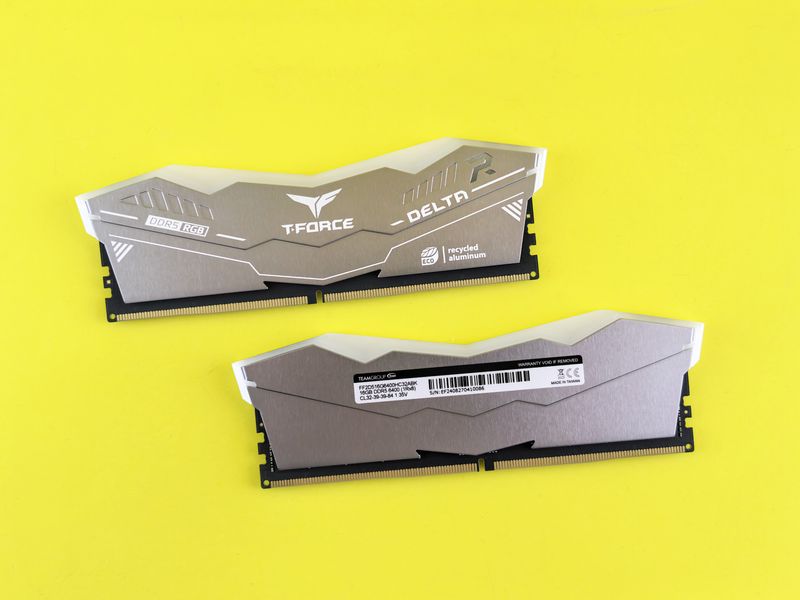
RGB DDR5 kits like the T-Force Delta look great in tempered-glass builds — just check heatsink clearance first. (Image: Pexels)
Our pick: The G.Skill Ripjaws S5 32GB DDR5-6000 CL30 is the kit we recommend to most readers. 6000 MT/s at CL30 is the proven sweet spot for Ryzen 7000/9000 and runs beautifully on Intel too, the low-profile heatsink fits under any air cooler, and it carries both EXPO and XMP profiles. Pair it with a balanced CPU from our budget CPU buying guide and you have a fast, stable 2026 build.
How Much RAM Do You Need: 16GB vs 32GB vs 64GB
- 16GB: Still fine for office work, browsing, and light gaming. But in 2026, Chrome + Discord + a modern game can already push past 14GB — it is the floor, not the recommendation.
- 32GB: The 2026 sweet spot. Gaming, streaming, photo editing, and heavy multitasking all run comfortably with headroom to spare.
- 64GB: For video editors, 3D artists, programmers running VMs, and anyone who keeps 50+ Chrome tabs open while rendering. Overkill for pure gaming, but great for workstations.
Installing DDR5 & Enabling EXPO/XMP
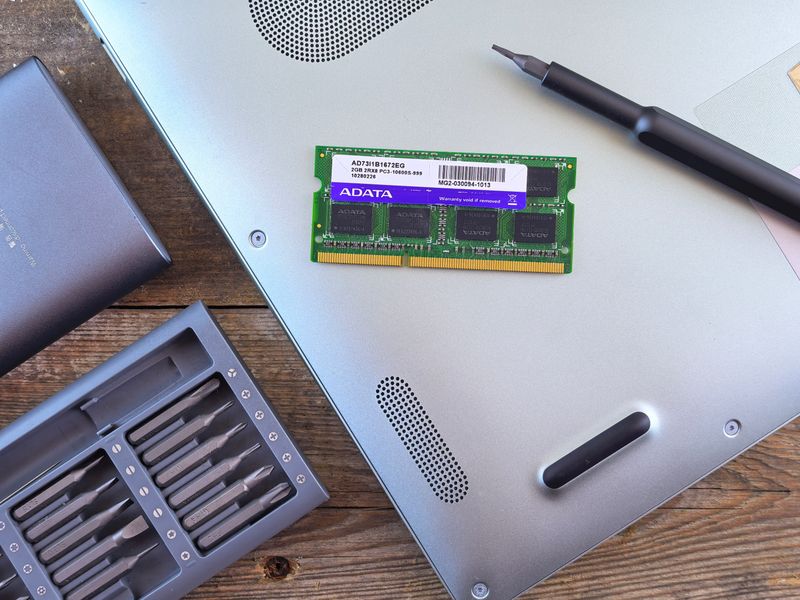
Installing RAM takes five minutes — but enabling the EXPO/XMP profile in BIOS is the step most beginners miss. (Image: Pexels)
- Power off, switch off the PSU, and ground yourself before touching components.
- Install the two sticks in slots A2 and B2 (usually the 2nd and 4th slots from the CPU) for dual-channel operation — check your motherboard manual.
- Push firmly and evenly until both side clips snap shut on their own.
- Boot into BIOS and enable EXPO (AMD) or XMP (Intel). Without this, your DDR5-6000 kit will run at the slow 4800 MT/s default — this single step is where most "slow RAM" complaints come from.
- Verify the speed in Task Manager (Windows) or with CPU-Z.
Pakistan Buying Guide: Prices, Hall Road & Techno City Tips
DDR5 is widely available in Pakistan now, but pricing swings with the dollar, so a kit that costs PKR 32,500 today can be PKR 35,000 next month. Practical tips from the local market:
- Where to buy: Hall Road in Lahore and Techno City in Karachi remain the best places to compare 4–5 shops side by side and negotiate. Prices there are usually 5–10% lower than online listings for the same sealed kit.
- Sealed box only: Always buy DDR5 in the original sealed retail box with the importer's sticker. Loose or "OEM" sticks sold without packaging have no reliable warranty path in Pakistan.
- Warranty matters more than brand: Corsair, G.Skill, Kingston and TeamGroup all have local distributor warranty in Pakistan (typically lifetime or 10 years). Ask the shopkeeper which distributor handles the RMA before paying.
- Beware of fake RGB kits: Counterfeit "RGB" memory with misspelled branding circulates in wholesale markets. Check the serial number on the manufacturer's warranty page via your phone before leaving the shop.
- Timing: RAM prices dip slightly after major sales events. If you are not in a hurry, watch prices for 2–3 weeks — DDR5 pricing is cyclical.
Frequently Asked Questions
Can I use DDR5 RAM on a DDR4 motherboard?
No. DDR5 and DDR4 have different slot notches and different electrical designs — a DDR5 stick physically will not fit in a DDR4 slot. You need a DDR5-compatible motherboard and CPU to use DDR5 memory.
Is 16GB DDR5 enough for gaming in 2026?
16GB works for most games today, but it is the minimum — background apps can already push total usage close to the limit. 32GB costs only a little more in 2026 and gives you comfortable headroom, so we recommend 32GB for any new gaming build.
What is the difference between EXPO and XMP?
Both are one-click overclocking profiles stored on the RAM stick that set the advertised speed, timings, and voltage. EXPO is AMD's standard for Ryzen platforms, XMP is Intel's. Most 2026 DDR5 kits include both profiles, so one kit works on either platform — just enable the matching one in BIOS.
Should I buy 2 sticks or 4 sticks of DDR5?
Buy 2 sticks. Two sticks run at their advertised speeds far more reliably; populating all four slots often forces the motherboard to drop the memory speed for stability, especially above 6000 MT/s.
Is DDR5-6000 CL30 better than DDR5-6400 CL40 for gaming?
Usually yes. Latency matters as much as raw speed — DDR5-6000 CL30 has lower true latency than DDR5-6400 CL40, and on AMD Ryzen 6000 MT/s aligns perfectly with the memory controller's ideal 1:1 ratio. Do not pay extra for a higher MT/s number with much looser timings.
Final Verdict
DDR5 has fully matured in 2026 — it is faster, more efficient, and finally affordable. For the vast majority of builders and upgraders, a 32GB (2x16GB) DDR5-6000 CL30 kit is the no-regrets choice: ideal gaming performance today and enough headroom for years. Budget builders can save with a 16GB DDR5-5200 kit, while creators should jump straight to 64GB. Whatever you choose, remember the two rules that matter most: make sure your motherboard actually supports DDR5, and enable EXPO/XMP in BIOS after installing — otherwise you are leaving free performance on the table.
The PENTIUM TECH HUB editorial team writes hands-on computer hardware guides with a Pakistan market focus — real PKR pricing context, local market buying tips, and no sponsored picks. Every buying guide is written to help you buy once and buy right.
Post a Comment