
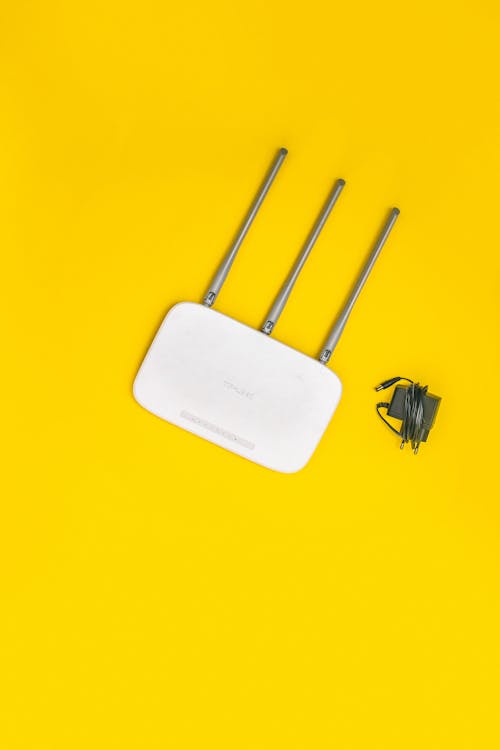
Quick Answer
A Wi-Fi range extender is the cheapest fix for dead zones in your home: it catches your router's signal and rebroadcasts it further. For most homes in 2026, the TP-Link RE605X (Wi-Fi 6, ~$70) is the best value pick, the TP-Link RE315 (~$30) is the best budget pick, and the TP-Link RE223BE (~$85) is the best future-proof Wi-Fi 7 pick. Place it halfway between your router and the dead zone — never inside the dead zone itself.
Table of Contents
- How Does a Wi-Fi Range Extender Work?
- Best Wi-Fi Range Extenders in 2026 — Comparison Table
- Our Top Picks in Detail
- Extender vs Mesh Wi-Fi: Which Should You Buy?
- Placement and Setup Tips That Actually Matter
- Buying a Wi-Fi Extender in Pakistan: Prices and Local Tips
- Frequently Asked Questions
- Final Verdict
Does your Wi-Fi die in the bedroom, the drawing room, or the rooftop? You are not alone. In most Pakistani homes the router sits in one corner, and thick concrete walls eat the signal before it reaches the far rooms. A Wi-Fi range extender is the simplest and cheapest fix: a small plug-in device that catches your existing Wi-Fi signal and stretches it further into your home.
In this guide we compare the best Wi-Fi range extenders you can buy in 2026, with approximate prices in USD and PKR, so you can pick the right one for your home and budget.
How Does a Wi-Fi Range Extender Work?
Think of an extender as a relay runner. It connects to your router wirelessly, then creates a second Wi-Fi signal that your phone or laptop can join in the far rooms. Setup usually takes under 10 minutes with the maker's app or a WPS button.
One honest warning: most single-band extenders cut your speed roughly in half on the extended network, because one radio talks to both your router and your device. Dual-band and Wi-Fi 6 extenders handle this much better, which is why we recommend them below. An extender cannot make your internet plan faster — it only spreads the speed you already pay for. If your base connection itself is slow, first check our guide to the best Wi-Fi routers to buy in 2026.
Best Wi-Fi Range Extenders in 2026 — Comparison Table
| Extender | Wi-Fi Standard | Max Speed | Best For | Approx. Price (USD / PKR) |
|---|---|---|---|---|
| TP-Link RE315 | Wi-Fi 5 (AC1200) | 1200 Mbps | Budget pick, small homes | ~$30 / ~PKR 8,400 |
| Netgear EX6120 | Wi-Fi 5 (AC1200) | 1200 Mbps | Budget pick, wall-plug design | ~$35 / ~PKR 9,800 |
| TP-Link RE605X | Wi-Fi 6 (AX1800) | 1800 Mbps | Best overall value | ~$70 / ~PKR 19,600 |
| TP-Link RE700X | Wi-Fi 6 (AX3000) | 3000 Mbps | Faster Wi-Fi 6, larger homes | ~$85 / ~PKR 23,800 |
| TP-Link RE223BE | Wi-Fi 7 (BE3200) | 3200 Mbps | Future-proof pick | ~$85 / ~PKR 23,800 |
All prices are approximate 2026 market estimates (converted at roughly PKR 280 per USD) — please confirm the current price with the seller before buying, as street prices in Pakistan vary by shop and stock.
Our Top Picks in Detail
1. TP-Link RE315 — Best Budget Wi-Fi Extender
The RE315 is a simple AC1200 dual-band plug-in extender covering around 1,500 sq. ft. It is ideal for extending basic internet to one or two rooms, and it works with the TP-Link Tether app for easy setup. Its weakness is the lack of Wi-Fi 6, so it is best paired with older routers or light use like browsing and streaming in one room.
2. Netgear EX6120 — Best Budget Alternative
Netgear's EX6120 is another AC1200 wall-plug extender with a compact design and an Ethernet port for wiring a smart TV or PC directly. A solid choice if TP-Link stock is short at your local shop.
3. TP-Link RE605X — Best Overall Value (Our Top Pick)
The RE605X brings Wi-Fi 6 (AX1800) speeds, a Gigabit Ethernet port, and TP-Link OneMesh support, which lets it join a OneMesh router as one seamless network. For most homes this is the sweet spot between price and performance, and it handles multiple devices far better than budget AC1200 models.
4. TP-Link RE700X — Best Faster Wi-Fi 6 Extender
The RE700X steps up to AX3000 speeds with a stronger signal for larger homes. Pick it if your family streams 4K video or games in the far rooms and you want more headroom than the RE605X offers.
5. TP-Link RE223BE — Best Wi-Fi 7 Extender
The RE223BE is a BE3200 Wi-Fi 7 extender, so it is ready for Wi-Fi 7 routers and future devices. If you are buying a new router this year, read our mesh Wi-Fi and Wi-Fi 7 router guide first — a Wi-Fi 7 extender pairs best with a Wi-Fi 7 router.
Extender vs Mesh Wi-Fi: Which Should You Buy?
Buy an extender when you have ONE dead zone and a limited budget — it costs a fraction of a mesh kit. Buy a mesh system when your whole house has weak coverage, you have a large multi-floor home, or you want one seamless network name everywhere without manual switching. If your budget is tight, start with a good router from our best budget Wi-Fi routers under $80 guide, then add an extender only for the rooms that still struggle.
Placement and Setup Tips That Actually Matter
- Halfway rule: Plug the extender halfway between your router and the dead zone, where it still gets a strong signal. Inside the dead zone it has nothing good to repeat.
- Use the 5 GHz band for nearby rooms (faster) and 2.4 GHz for far rooms (travels through walls better).
- Use the Ethernet port on the extender for a smart TV, gaming console or PC — a wired connection from the extender is far more stable than Wi-Fi.
- Keep it away from microwaves, thick concrete pillars and metal cabinets, which all weaken the signal.
- Update the firmware in the maker's app after setup for the latest security fixes.
Buying a Wi-Fi Extender in Pakistan: Prices and Local Tips
In Pakistan, TP-Link extenders are widely available at Hall Road Lahore and Techno City Karachi, as well as on local online stores. The RE315 usually sells for around PKR 8,000–10,000, the RE605X for around PKR 18,000–22,000, and Wi-Fi 7 models like the RE223BE for around PKR 22,000–26,000 — all approximate, so confirm with the seller before paying. Practical tips: buy from a shop that offers a proper warranty claim (TP-Link Pakistan warranty is a real plus), check the box seal and model number before leaving the shop, and avoid unbranded "signal booster" boxes with no brand or warranty — they often die within months. For a hostel room or a single-room fix, the RE315 is all you need; for a full family home, spend the extra on the RE605X.
Frequently Asked Questions
Will a Wi-Fi extender increase my internet speed?
No. An extender spreads your existing connection further; it cannot make your internet plan faster. If your base speed is slow, upgrade your plan or your router first.
Where is the best place to plug in a Wi-Fi extender?
Halfway between your router and the dead zone, in a spot where the extender still receives a strong signal from the router — never inside the dead zone itself.
Do I need a Wi-Fi 6 or Wi-Fi 7 extender?
Match your router: a Wi-Fi 6 extender like the RE605X suits Wi-Fi 6 routers, while the Wi-Fi 7 RE223BE suits Wi-Fi 7 routers and future devices. A Wi-Fi 5 extender still works fine for basic use.
Extender or mesh Wi-Fi — which is better for a large house?
For one dead zone, an extender is cheaper and enough. For a large or multi-floor house with weak coverage everywhere, a mesh system gives a smoother, single-network experience.
Can I use an extender with any router brand?
Yes. Wi-Fi extenders work with routers of any brand, since they use standard Wi-Fi. Extra features like OneMesh only work when the router and extender are from the same ecosystem.
Final Verdict
For most homes in 2026, the TP-Link RE605X is the best Wi-Fi range extender to buy: Wi-Fi 6 speed, OneMesh support and a fair price. On a tight budget, the TP-Link RE315 fixes a single dead zone for the least money. And if you are already on Wi-Fi 7, the RE223BE is the future-proof pick. Whichever you choose, remember the halfway rule — good placement matters more than the brand on the box.
About the Author
PENTIUM TECH HUB is a tech blog covering computers, laptops, software and hardware with practical buying guides for readers in Pakistan and beyond. Every guide is written to help you buy the right product at the right price — no jargon, no sponsored picks.
Post a Comment