
A sudden power cut in the middle of unsaved work. A voltage spike that fries a motherboard during monsoon season. If you live in Pakistan, these are not hypotheticals — they are Tuesday. A good UPS (uninterruptible power supply) is the cheapest insurance policy your PC setup will ever have, and a quality surge protector is its best friend. This guide explains exactly what to buy in 2026, with prices in both PKR and USD.

In This Guide
- Why Every PC in Pakistan Needs a UPS
- The 3 UPS Types Explained (Standby vs Line-Interactive vs Online)
- How to Size Your UPS: VA vs Watts
- The 6 Best UPS Units to Buy in 2026 (PKR + USD Prices)
- Don't Skip the Surge Protector
- Buying a UPS in Pakistan: Hall Road, Techno City & Dealer Tips
- Battery Care: Getting 3 Years From Your UPS
- Frequently Asked Questions
- Final Verdict
Why Every PC in Pakistan Needs a UPS
A UPS does two jobs: it filters the power going into your equipment, and it switches to battery instantly when the power dies, giving you minutes to save your work and shut down cleanly. Here is what it protects you from:
- Load shedding & outages: Sudden shutdowns corrupt files, kill SSD write operations mid-flight, and can brick an OS update.
- Brownouts (low voltage): Extremely common on Pakistan's grid. A UPS with AVR corrects voltage sags without even touching its battery.
- Surges & spikes: Monsoon lightning and transformer faults send spikes down the line. Surge protection in a UPS clamps them before they reach your PSU.
- Router downtime: Keep your router and fiber ONT on a UPS and your internet survives short outages — a lifesaver for remote workers.
If you are protecting a gaming rig, see our Best Gaming PCs Under $1000 in 2026 guide — a $800 PC deserves a $90 UPS. And if you keep your network gear alive through outages, pair the UPS with one of our Best Gaming Routers for Low Ping picks.
The 3 UPS Types Explained
UPS units come in three topologies. The difference that matters most is how fast they switch to battery and whether their output is a pure sine wave (what your PSU expects) or a stepped "simulated" wave.
| Feature | Standby (Offline) | Line-Interactive | Online (Double-Conversion) |
|---|---|---|---|
| How it works | Passes mains power straight through; switches to battery on outage | Adds AVR — corrects brownouts/boosts without using the battery | Constantly regenerates clean power; zero transfer time |
| Transfer time | ~6–8 ms (stepped wave) | ~4–6 ms | 0 ms |
| Waveform | Usually simulated sine | Simulated or pure sine | Pure sine always |
| Best for | Routers, modems, basic home gear | Desktops, workstations, home offices | Servers, medical/lab, mission-critical |
| Typical price | Cheapest | Mid-range | Expensive |
The active-PFC warning: Modern PC power supplies (Ryzen 5000/7000, Intel 12th-gen and newer) use active power-factor correction, which can conflict with a simulated sine wave and shut the PC down the moment the UPS switches to battery. If your PC is from the last few years, buy a pure sine wave UPS — it costs more, but a UPS that trips your PC during an outage is worse than useless.
How to Size Your UPS: VA vs Watts
UPS units are rated in VA (volt-amps), but your PC draws watts. The watt rating is typically 55–65% of the VA rating on budget units, so always check the watt number on the spec sheet:
- Router + fiber ONT only (~30W): 600–650VA is plenty.
- Desktop + monitor (~250–350W): 1000VA / 600W minimum.
- Gaming PC + monitor (~400–600W): 1500VA / 900–1000W.
- Rule of thumb: add up your devices' watts, then buy a UPS whose watt rating is at least 25–30% higher.
Also note: a bigger VA number does not mean dramatically longer runtime — runtime mostly comes from battery size. What a bigger UPS gives you is headroom so the unit is not screaming at 95% load.
The 6 Best UPS Units to Buy in 2026 (PKR + USD Prices)
Prices below are approximate October 2026 market ranges — USD figures track major online retailers, PKR figures track Pakistani computer markets. Always confirm the live price with your seller before buying, as imported brands move with the dollar rate.
1. APC Easy UPS BV650I-MSX (650VA / 375W) — Best Budget Pick
The workhorse of Pakistani computer shops. Line-interactive with AVR, four universal outlets with battery backup + surge protection, and user-replaceable batteries. Perfect for a single PC, router, or CCTV DVR.
Approx. price: Rs 27,500–35,000 (Pakistan) | ~$85–100 (US equivalent class). Best for: single desktop, home office desk, routers.
2. APC Back-UPS BE700G (700VA / 420W) — Cheapest Sensible Option
A standby UPS for basic backup: 6 outlets (3 battery + 3 surge-only), USB port for automatic shutdown via PowerChute software. No AVR and no LCD — this is the "keep the router alive" tier.
Approx. price: ~$75 (US) | ~Rs 25,000–32,000 (Pakistan grey/import market). Best for: routers, modems, smart-home hubs.
3. APC Easy UPS BV1000I-MSX (1000VA / 600W) — Best for One Workstation
The 650VA's bigger sibling. Same line-interactive AVR design with enough wattage headroom for a desktop + monitor + router with room to spare. If you do real work on your PC, this is the minimum I would buy.
Approx. price: Rs 42,000–55,000 (Pakistan) | ~$130–150 (US equivalent class). Best for: workstations, CCTV setups, mini PCs like the ones in our Best Mini PCs for Gaming roundup.
4. CyberPower CP900AVR (900VA / 540W) — Best Home-Office Value
A long-time reviewer favorite: AVR, 12 outlets (6 battery + 6 surge), and an LCD that shows input/output voltage, load percentage, and estimated runtime. Simulated sine wave, so pair it with older or office PCs rather than modern gaming rigs.
Approx. price: ~$120 (US) | ~Rs 45,000–55,000 (Pakistan import, availability varies). Best for: home offices, NAS boxes, office desktops.
5. CyberPower CP1500PFCLCD (1500VA / 1000W) — Best for Gaming PCs
The default recommendation for modern gaming PCs: pure sine wave output (safe for active-PFC PSUs), 1500VA/1000W capacity, tilting color LCD with live load/runtime readouts, and USB for automatic shutdown. Six battery + six surge outlets cover a full battlestation.
Approx. price: ~$240 (US) | ~Rs 90,000–110,000 (Pakistan import). Best for: gaming PCs, workstations, multi-device setups.
6. APC Back-UPS Pro BR1500MS2 (1500VA / 900W) — Premium APC Pick
APC's answer to the CyberPower flagship: pure sine wave, line-interactive with AVR, and APC's legendary build quality and warranty support. Costs more than the CyberPower, but APC replacement batteries are the easiest to find in Pakistan.
Approx. price: ~$300 (US) | ~Rs 110,000–130,000 (Pakistan). Best for: buyers who want the safest brand bet and easy battery replacements.
Don't Skip the Surge Protector
A UPS already includes surge protection on its outlets — but a standalone surge protector power strip is still worth having for everything that does not need battery backup: phone chargers, lamps, printers, and your TV. Look for one with a joule rating of 1000J or higher and an indicator light that shows protection is still active (surge components wear out after absorbing hits — replace the strip every 2–3 years in areas with frequent spikes).
In Pakistan, decent surge-protector strips from brands like Belkin or local equivalents run roughly Rs 2,000–6,000 at Hall Road or Techno City. Never daisy-chain two surge strips together, and never plug a laser printer into a UPS battery outlet — its startup surge can overload the unit.
Buying a UPS in Pakistan: Hall Road, Techno City & Dealer Tips
Pakistan's market has its quirks. Here is how to buy smart:
- Where to buy: Hall Road, Lahore has the widest UPS selection and the sharpest bargaining; Techno City, Karachi is the go-to in the south. Both have APC dealers with genuine stock — insist on sealed boxes.
- Check the watt rating, not just VA: Two "1000VA" units can have very different real watt capacities. Ask the dealer for the watt figure before comparing prices.
- Battery sold separately? Computer UPS units (APC, CyberPower) include internal batteries. But larger inverter-style UPS setups quote the unit without batteries — a tubular battery adds roughly Rs 30,000–55,000 each. Always ask "battery included?" before comparing offers.
- Get the warranty in writing: APC units carry international warranty support; local brands like Homage and Inverex offer 1–2 year warranties with service centers in major cities. Get the warranty stamped on your invoice — verbal promises mean nothing in month eight.
- Beware the voltage mismatch: Pakistan runs on 220–230V / 50Hz. US-market UPS units are 120V and will not work here without a step-down transformer — buy the 230V international models (look for the "-MS" or "-I" suffix, e.g., BV650I-MSX), not US imports.
- Test before you leave: Ask the dealer to plug in a load, pull the mains plug, and confirm the switchover. A 30-second test saves a return trip.
Battery Care: Getting 3 Years From Your UPS
The battery — not the electronics — is what dies first. Sealed lead-acid UPS batteries typically last 2–3 years in Pakistani heat:
- Keep the UPS in a cool, ventilated spot — heat is the number one battery killer. Not on top of a warm PC case.
- Don't deep-discharge it regularly. A UPS is for graceful shutdowns, not for running your PC for an hour.
- Replace the battery when runtime drops noticeably — replacement batteries (e.g., APC RBC series) are far cheaper than a new UPS.
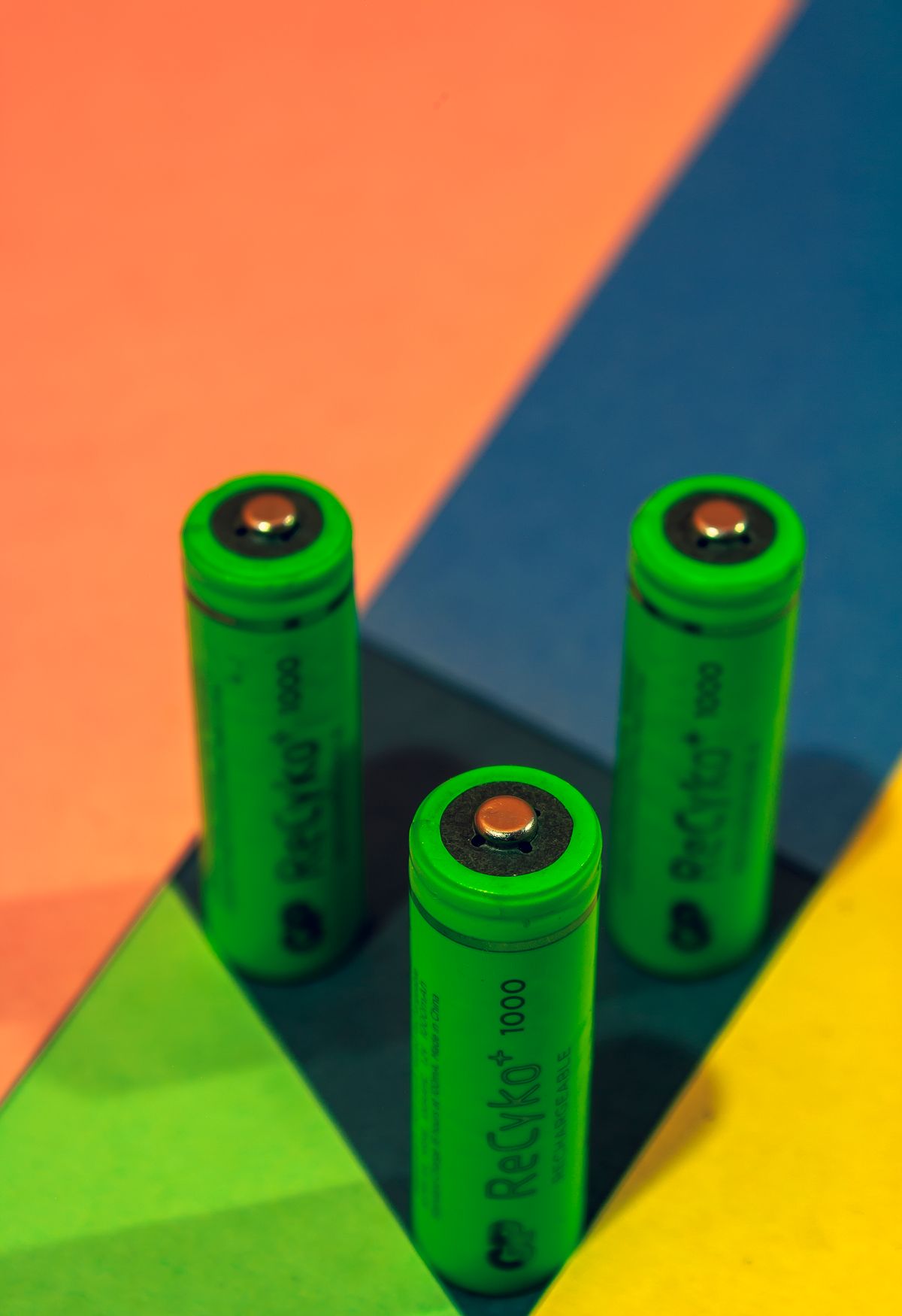
- Recycle old batteries properly — lead-acid batteries are hazardous waste. Most dealers in Hall Road and Techno City will take your old battery and knock a small amount off the replacement.
Frequently Asked Questions
How long will a UPS keep my PC running?
A typical 650–1000VA UPS gives a desktop + monitor about 10–25 minutes — enough to save work and shut down cleanly. It is not meant to power you through a 3-hour load-shedding slot. For long outages, Pakistanis pair a UPS for the PC with an inverter + tubular battery setup for the house.
Is 650VA enough for a gaming PC?
Usually not. A 650VA unit delivers ~375W, while a gaming PC under load can pull 400–600W+. Size by watts with 25–30% headroom — most gaming rigs want a 1500VA / 900–1000W pure sine wave UPS.
What is the difference between a UPS and an inverter in Pakistan?
A computer UPS switches in milliseconds and is designed for sensitive electronics; a home inverter/UPS setup (Homage, Inverex) powers fans, lights, and appliances for hours but switches slower. Many Pakistani homes run both: inverter for the house, dedicated UPS for the PC and router.
Do I need pure sine wave for my PC?
If your PC was built in the last ~8 years, its power supply almost certainly uses active PFC — and active-PFC PSUs can shut down instantly on a simulated sine wave. For any modern desktop, yes, buy pure sine wave. For just a router or an old office PC, simulated sine is fine.
Can I use a US-bought UPS in Pakistan?
No — US models are 120V/60Hz and Pakistan runs 220–230V/50Hz. Plugging one in directly will damage it. Buy the 230V international version (e.g., APC models with the "-MS" or "-I" suffix) from a local dealer.
Final Verdict
For most readers, the APC Easy UPS 650VA or 1000VA is the right buy — line-interactive AVR, easy battery replacements, and genuine stock across Pakistan at Rs 27,500–55,000. Gamers and workstation users should spend the extra on a pure sine wave 1500VA unit like the CyberPower CP1500PFCLCD (~$240) or APC Back-UPS Pro BR1500MS2 (~$300). Whatever you choose, buy the 230V model, get the warranty stamped, and test the switchover at the shop. Your PC will thank you the next time the lights go out.
Post a Comment